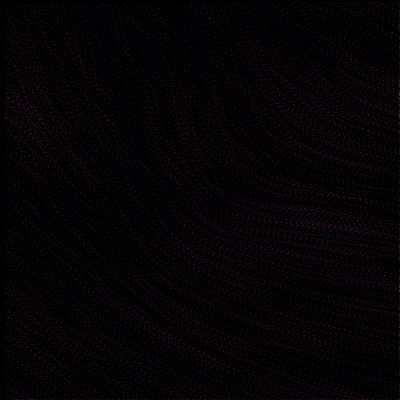
audio_reactive · PasmaFFTSpectrum
FFT-Spectrum Particle Field (Synthetic Audio)
A particle field whose velocity is driven by three FFT-magnitude bands (low / mid / high) computed from a sliding window of synthetic audio. The audio signal is a chain of 9 sinusoids (3 per band) plus a 1 Hz impulse train; a Hann-windowed real FFT gives the magnitude at each band's centre frequency, and the three band magnitudes push the particles along x (low vs mid) and y (mid vs high) with a swirl component modulated by the mid band. Particles leave low-alpha strokes on a fading canvas, with ink brightness boosted by the high-band magnitude — the spectrum particle look Piter Pasma uses across his 4 kB demos, *Skulptuur*, and the *Genuary* prompts.
Original: http://piterpasma.nl/
▶ Try the live demo (JS port) ▶ Run reference.py via Pyodide 10 formulas have instant JS ports. The Pyodide path runs the actual Python in your browser — first load is ~6 MB, then instant.
Math essence
audio(t) = Σ amp_i * sin(2π freq_i t + phase_i) + Σ impulse_kick * δ(t mod 1). Each step the latest 256 samples (window_size) are Hann-windowed and FFT'd: bands = [|FFT(low_freq)|, |FFT(mid_freq)|, |FFT(high_freq)|]. fx, fy = field_gain * (band_diff_low_mid + 0.4, band_diff_mid_high + 0.4) + swirl * (ny, -nx). v *= 0.985. canvas *= trail_decay; canvas[p.y, p.x] += ink * (0.08 + 0.18 * high_band).
Parameters
| Name | Type | Default | Range | Description |
|---|---|---|---|---|
dim | int | 400 | 200–800 | Square canvas side length in pixels. |
num_particles | int | 1400 | 200–4000 | Particle count. |
window_size | int | 256 | 64–1024 | FFT window size (samples). |
sample_rate | float | 256 | 64–1024 | Synthetic audio sample rate (Hz). |
low_freq | tuple | 0.7,1.6,3 | — | Low-band centre frequencies. |
mid_freq | tuple | 8,14,22 | — | Mid-band centre frequencies. |
high_freq | tuple | 40,64,96 | — | High-band centre frequencies. |
low_amp | tuple | 0.55,0.4,0.3 | — | Low-band amplitudes. |
mid_amp | tuple | 0.35,0.28,0.2 | — | Mid-band amplitudes. |
high_amp | tuple | 0.2,0.15,0.1 | — | High-band amplitudes. |
kick_freq | float | 1 | 0.1–8 | Beat / kick frequency (Hz) added to low band. |
kick_strength | float | 1.6 | 0–4 | Strength of the kick impulse. |
field_gain | float | 6 | 0.1–16 | Gain applied to the FFT-band-driven force field. |
max_speed | float | 5.5 | 0.5–14 | Speed clamp (px/frame). |
trail_decay | float | 0.94 | 0.7–0.999 | Per-frame multiplicative fade of the canvas. |
hue_drift | float | 0.004 | 0–0.05 | Hue rotation per step (turns). |
bg_color | tuple | 4,6,14 | — | Background colour. |
seed | int | null | 0–999999 | RNG seed. |
Reference
First 60 lines of reference.py. Full source:
library_external/audio_reactive/PasmaFFTSpectrum/reference.py
from __future__ import annotations

from typing import ClassVar

import numpy as np


class PasmaFFTSpectrum:
    """FFT-spectrum particle field inspired by Piter Pasma's algorithmic
    animation work.

    A synthetic "audio" signal is generated each frame as a chain of
    sinusoids across low / mid / high bands, plus a 1 Hz impulse
    train (kick). A sliding window of the most recent samples is
    Hann-windowed and run through a real FFT; the magnitudes at the
    three band centres (low / mid / high) drive particle velocities
    along the x / y axes and a radial "pressure" pulse.

    Particles leave low-alpha strokes on a fading canvas (the
    classic "FFT visualizer" look), colour-cycled with the band's
    spectral centroid. This mirrors the way Pasma's pieces use
    magnitude bands (low / mid / high) to drive multiple visual
    parameters at once — one of his signature moves across the
    4 kB demos, *Skulptuur*, and the *Genuary* prompts.
    """

    family: ClassVar[str] = "audio_reactive"
    sketch: ClassVar[str] = "pasmafftspectrum"

    def __init__(
        self,
        dim: int = 400,
        num_particles: int = 1400,
        window_size: int = 256,
        sample_rate: float = 256.0,
        low_freq: tuple[float, ...] = (0.7, 1.6, 3.0),
        mid_freq: tuple[float, ...] = (8.0, 14.0, 22.0),
        high_freq: tuple[float, ...] = (40.0, 64.0, 96.0),
        low_amp: tuple[float, ...] = (0.55, 0.40, 0.30),
        mid_amp: tuple[float, ...] = (0.35, 0.28, 0.20),
        high_amp: tuple[float, ...] = (0.20, 0.15, 0.10),
        kick_freq: float = 1.0,
        kick_strength: float = 1.6,
        field_gain: float = 6.0,
        max_speed: float = 5.5,
        trail_decay: float = 0.94,
        hue_drift: float = 0.004,
        bg_color: tuple[int, int, int] = (4, 6, 14),
        seed: int | None = None,
    ) -> None:
        self.dim = dim
        self.num_particles = num_particles
        self.window_size = window_size
        self.sample_rate = sample_rate
        self.low_freq = np.array(low_freq, dtype=np.float32)
        self.mid_freq = np.array(mid_freq, dtype=np.float32)
        self.high_freq = np.array(high_freq, dtype=np.float32)
        self.low_amp = np.array(low_amp, dtype=np.float32)
        self.mid_amp = np.array(mid_amp, dtype=np.float32)
        self.high_amp = np.array(high_amp, dtype=np.float32)
Try running it locally
The reference implementation is self-contained Python with numpy. Install the package and run:
python library_external/audio_reactive/PasmaFFTSpectrum/reference.pyNeed help? See Learn for the standard environment setup, or Playground for an in-browser sketchbook.
More from audio-reactive
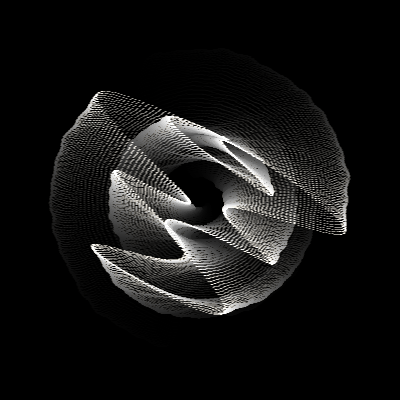
Daily Sketch Curve Morph (Synthetic Gesture)
audio_reactive · LiebermanDailySketch
A parametric polar / hypotrochoid curve whose three radii (R, r, d) are continuously morphed by independent sin-wave chains — Zach Lieberman's signature 'use mathematical functions like sin() and tan() in place of randomness' rule from his Daily Sketches project.
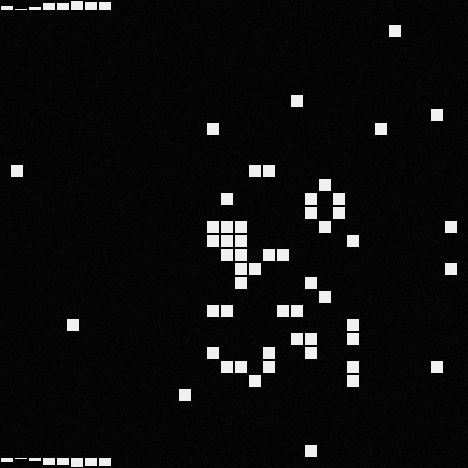
data.matrix Glitch Grid (Binary Cellular Automaton + Beat Faders)
audio_reactive · IkedaGridMatrix
A 32×32 binary cell grid plus a thin frame of beat-fader bars around the edges.
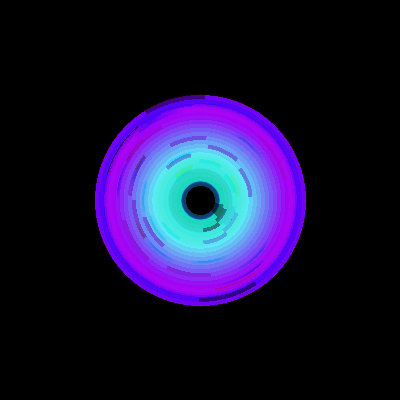
Reactive Concentric Rings (FFT-Band-Driven)
audio_reactive · PasmaReactiveCircle
N concentric rings around the canvas centre, each driven by a different FFT band (low / mid / high).
SND Grid Sequencer (Multistability Pulse Grid)
audio_reactive · SNDGridSequencer
A 16×16 grid where each cell has its own activation period (inner-loop ticks) and phase offset, modelled after Mark Fell's *Multistability* algorithm: nested inner/outer loops, impulse at each inner-loop wrap, phase-reset by the outer loop.