reas_processing · wolframCA1D
Wolfram Elementary 1-D Cellular Automaton
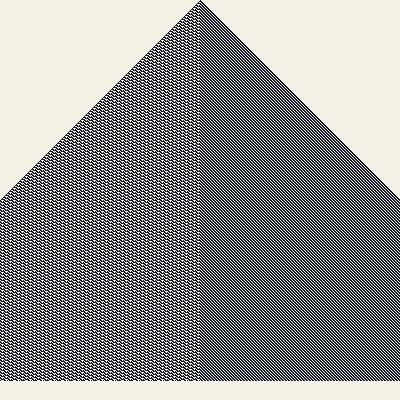
Each row of the canvas is one generation of a Wolfram elementary cellular automaton. The 8 possible 3-bit neighborhoods (left, self, right) are mapped to a 0 or 1 output bit via an 8-bit rule (rule 0..255). Starting from a single live cell (or a random row), successive generations are written downward to form the canonical diagonal-of-time visualization popularized by Stephen Wolfram's 'A New Kind of Science'. Implements the canonical CA sketched by Daniel Shiffman in the Processing examples that are referenced alongside Casey Reas's teaching.
Original: https://processing.org/examples/wolfram.html
▶ Try the live demo (JS port) ▶ Run reference.py via Pyodide 10 formulas have instant JS ports. The Pyodide path runs the actual Python in your browser — first load is ~6 MB, then instant.
Math essence
cells_t+1[i] = R[(cells_t[i-1] << 2) | (cells_t[i] << 1) | cells_t[i+1]] where R[0..7] are the bits of the selected rule number 0..255. The ring buffer uses np.roll for periodic boundary conditions.
Parameters
| Name | Type | Default | Range | Description |
|---|---|---|---|---|
dim | int | 400 | 80–1200 | Square canvas side length and number of cells per row. |
rule | int | 110 | 0–255 | 8-bit Wolfram rule number (e.g. 30, 90, 110, 184). |
seed_alive | bool | true | — | If true, start with a single live cell at the middle of row 0. |
seed_row | str | middle | — | Either 'middle' (single seed) or 'random' (uniform 50% fill). |
bg_color | tuple | 245,240,230 | — | Background (dead cell) color. |
ink_color | tuple | 20,25,40 | — | Live cell color. |
seed | int | null | 0–999999 | Optional seed for reproducible random initial rows. |
Reference
First 60 lines of reference.py. Full source:
library_external/reas_processing/wolframCA1D/reference.py
from __future__ import annotations

from typing import ClassVar

import numpy as np


def _rule_to_bits(rule: int) -> np.ndarray:
    rule &= 0xFF
    bits = np.zeros(8, dtype=np.uint8)
    for k in range(8):
        bits[k] = (rule >> (7 - k)) & 1
    return bits


class WolframCA1D:
    """Wolfram elementary 1-D cellular automaton.

    A one-dimensional binary line evolves under a 3-neighborhood rule
    (each new cell depends on its left neighbor, itself, and its right
    neighbor). The 8 possible 3-bit neighborhoods are mapped to 0 or 1
    by an 8-bit Wolfram rule (rules 0..255). Each step appends a new
    row to a square history canvas so the evolution unfurls downward,
    exactly as in the Processing example by Daniel Shiffman that is
    cited as a companion to Casey Reas's *Processings*.

    Reference: <https://processing.org/examples/wolfram.html>
    """

    family: ClassVar[str] = "reas_processing"
    sketch: ClassVar[str] = "wolframCA1D"

    def __init__(
        self,
        dim: int = 400,
        rule: int = 110,
        seed_alive: bool = True,
        seed_row: str = "middle",
        palette: str = "ink",
        bg_color: tuple[int, int, int] = (245, 240, 230),
        ink_color: tuple[int, int, int] = (20, 25, 40),
        seed: int | None = None,
    ) -> None:
        self.dim = dim
        self.rule = rule
        self.seed_alive = seed_alive
        self.seed_row = seed_row
        self.bg_color = np.array(bg_color, dtype=np.uint8)
        self.ink_color = np.array(ink_color, dtype=np.uint8)
        self._seed = seed
        self.reset()

    def reset(self, seed: int | None = None) -> None:
        if seed is not None:
            self._seed = seed
        self.rng = np.random.default_rng(self._seed)
        self.rules = _rule_to_bits(self.rule)
        self.cells = np.zeros(self.dim, dtype=np.uint8)
        if self.seed_alive:
            self.cells[self.dim // 2] = 1
Try running it locally
The reference implementation is self-contained Python with numpy. Install the package and run:
python library_external/reas_processing/wolframCA1D/reference.pyNeed help? See Learn for the standard environment setup, or Playground for an in-browser sketchbook.
More from reas · processing
2-D Totalistic Cellular Automaton (Conway + variants)
reas_processing · wolframCA2D
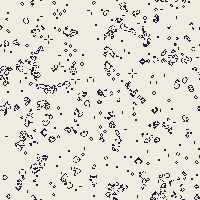
Each cell looks at its 8 Moore neighbors and applies a totalistic rule.
Gray-Scott Reaction-Diffusion
reas_processing · grayScottRD
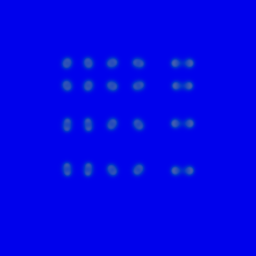
Two scalar species U and V diffuse on a square grid with rates Du and Dv and react with feed F and kill k.
Lindenmayer L-system + Turtle Rendering
reas_processing · lindenmayer
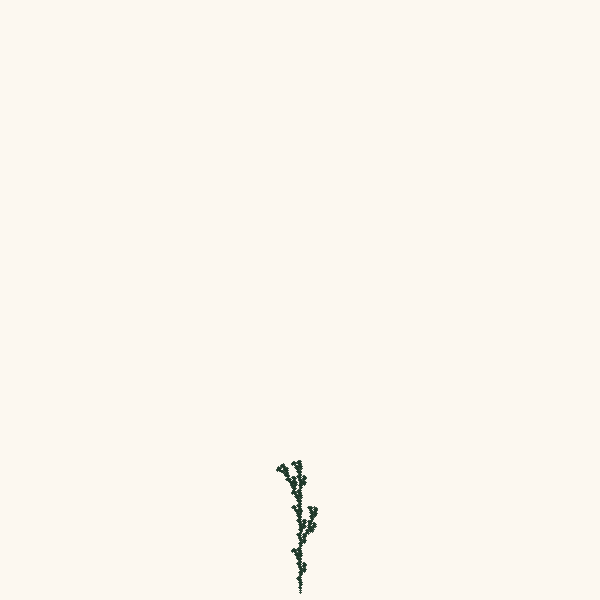
An axiom string is rewritten by parallel production rules for a fixed number of iterations, then interpreted by a 2-D turtle: 'F' walks forward, '+/-' turn left/right, '['/']' push/pop state.

Particle-Spring Cloth (Verlet + Hooke)
reas_processing · particleSpring
A rectangular grid of free particles is connected by Hooke's-law springs at rest length 'spacing'.
Perlin Streamlines
reas_processing · perlinStreamlines
A 2-D vector field is sampled from one or more octaves of Perlin gradient noise.
Voronoi Diagram from Random Seeds
reas_processing · voronoi
Every pixel on the canvas is colored with the palette color of the seed point closest to it.